
Book of Shapes
BOOK OF SHAPES · FREE DESIGN TOOL

Small tweaks.
Big pattern energy.

I just found an underrated tool for those mesmerizing pattern effects. It’s called Book of Shapes, and it’s free.

Try Book of Shapes (opens in a new tab)Pick a template. Make it yours.
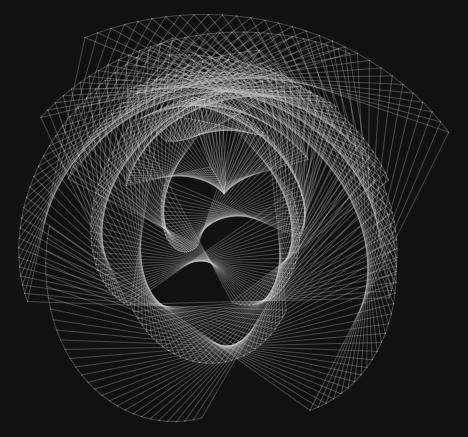
A flowing mesh pattern created in Book of Shapes using the Spiral Morph template.

From a template to an SVG—or a whole poster. Here’s the four-step workflow, with screenshots you can open full size and two short recordings to follow along.

IN YOUR BROWSER
No code needed.
01

Pick your favorite template.

Open Book of Shapes and scroll down to the pattern gallery. Explore categories such as Grid, Radial, and Flow, or switch between Recent and Popular. Click a pattern to open its controls.

We’ll use Spiral Morph for this walkthrough. It starts as a mesh that you can bend into a spiral. Choose the same template to follow the settings below.
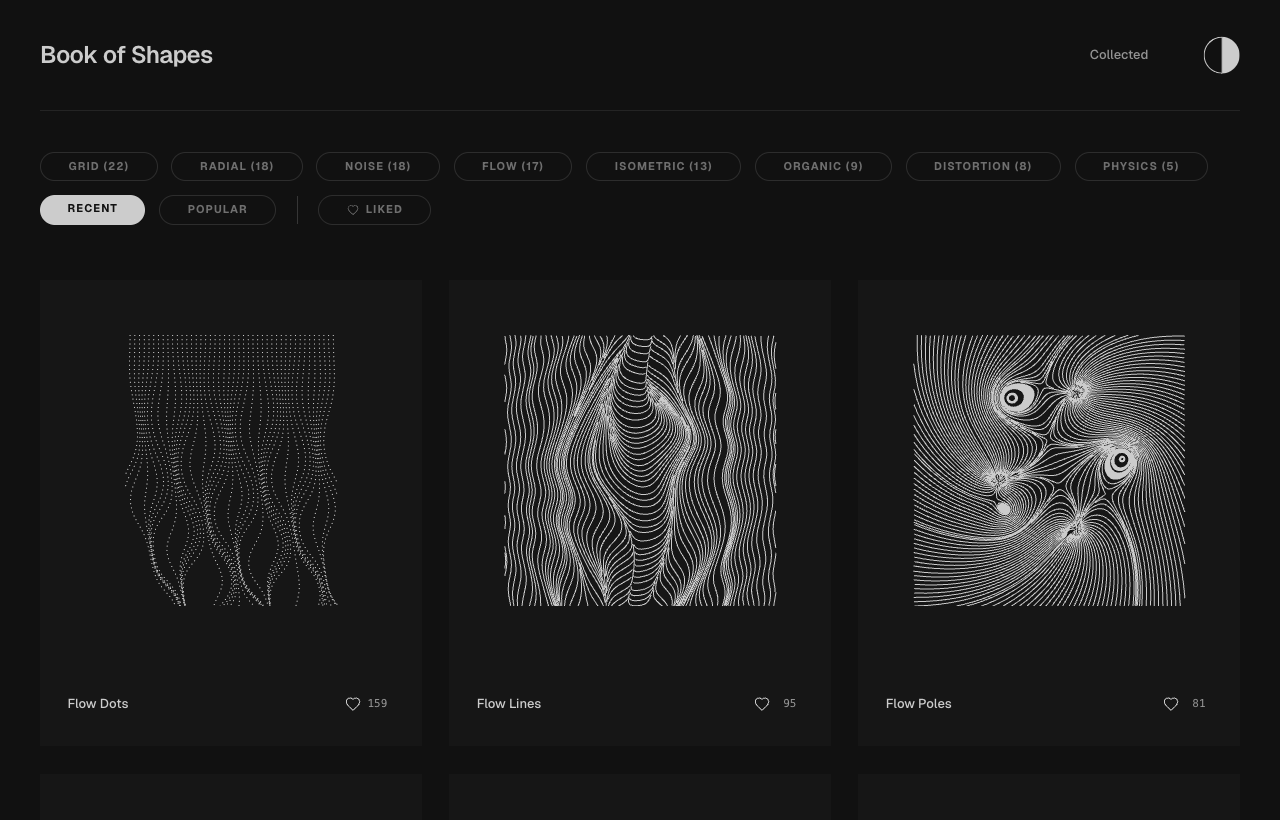
Book of Shapes gallery with category filters and Flow Dots, Flow Lines, and Flow Poles template cards
Browse the gallery, then open a pattern. Each template has its own set of controls.View full size (opens in a new tab)
02

Change your settings. Beep beep boop.

Move one slider at a time and watch the preview. In Spiral Morph, Cols and Rows change the mesh density. Morph blends the grid toward a spiral, while Turns changes how tightly it winds.

Try Rows 20, move Morph down and back up, then try a different Turns value. Our final look uses these settings:

Cols / Rows
30 / 20
Morph
0.75
Turns
5.5
Radius
300
Noise Amt
0.37
Noise Scale
0.0
Watch: shape the pattern
Increase Rows, move Morph, then compare Turns. Silent recording; captions describe each change.Download video

Like a version? Use Save variation when it appears, or export it before experimenting again. Reset to defaults gives you a fresh starting point.

03

Take the SVG with you.

Choose the Download SVG icon—the downward arrow above the pattern, between Share and the Figma icon. Our download arrived as a ZIP containing two SVG versions and LICENSE.txt. Unzip it to get the files, and keep the license with your artwork.

An SVG is a vector file, so you can resize the pattern without turning it into a blurry image. Bring it into your design app for a cover, background, or composition. The adjacent Copy for Figma button is another option if you’re working in Figma.
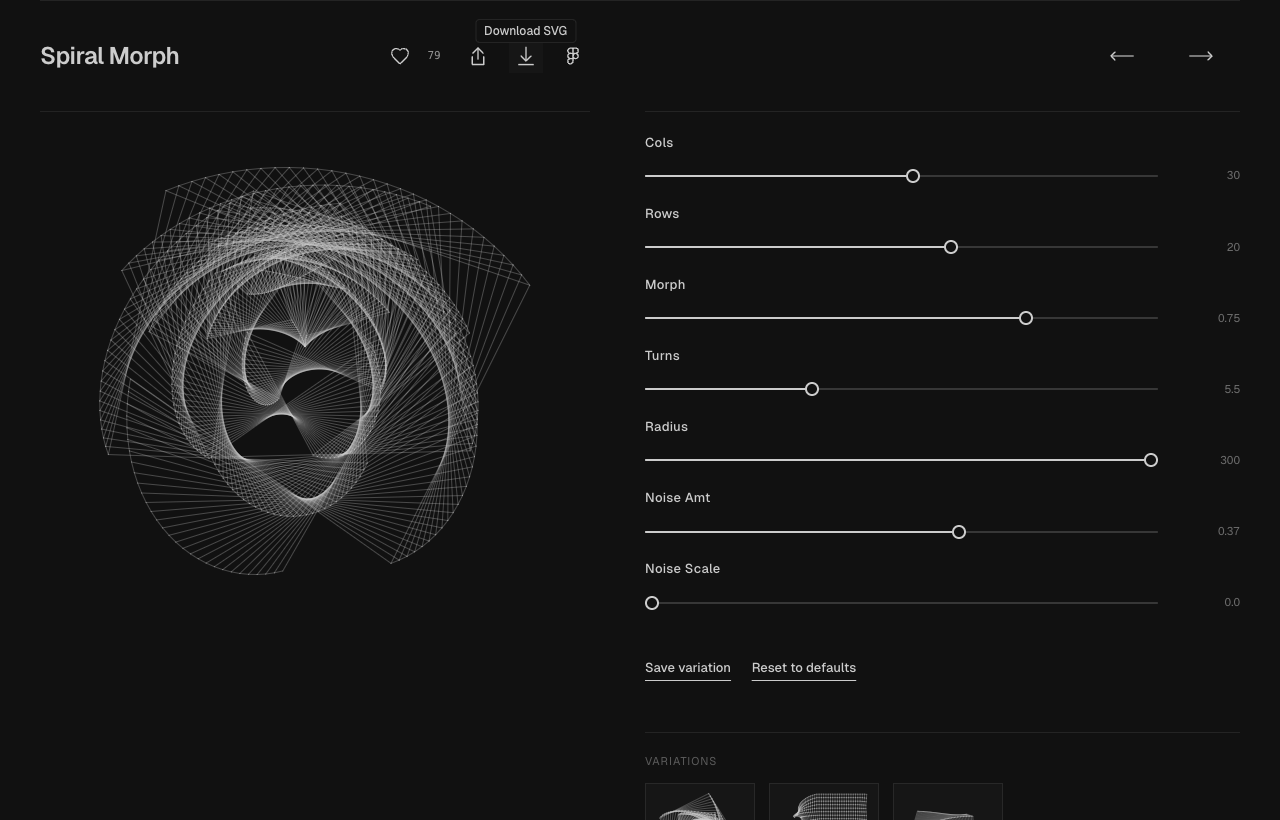
Spiral Morph editor showing the customized pattern and the Download SVG arrow in the top toolbar
The downward arrow in the top toolbar exports your current pattern. The Figma icon sits immediately to its right.View full size (opens in a new tab)
04

Or turn it into a poster.

Scroll below the pattern controls and choose Make a poster. It carries your tuned pattern onto a typographic sheet. Use Next sheet and Previous sheet to explore layouts, then choose Recolour to try another palette on the same sheet.

Watch: find your poster
Cycle through two layouts, then try two palettes with Recolour. Your generated sheets may look different.Download video

Use Save this sheet to keep a favorite in your browser, or the poster’s Download SVG button to save a file. The Pattern link takes you back to the pattern editor. There you go—a poster from a few small tweaks.
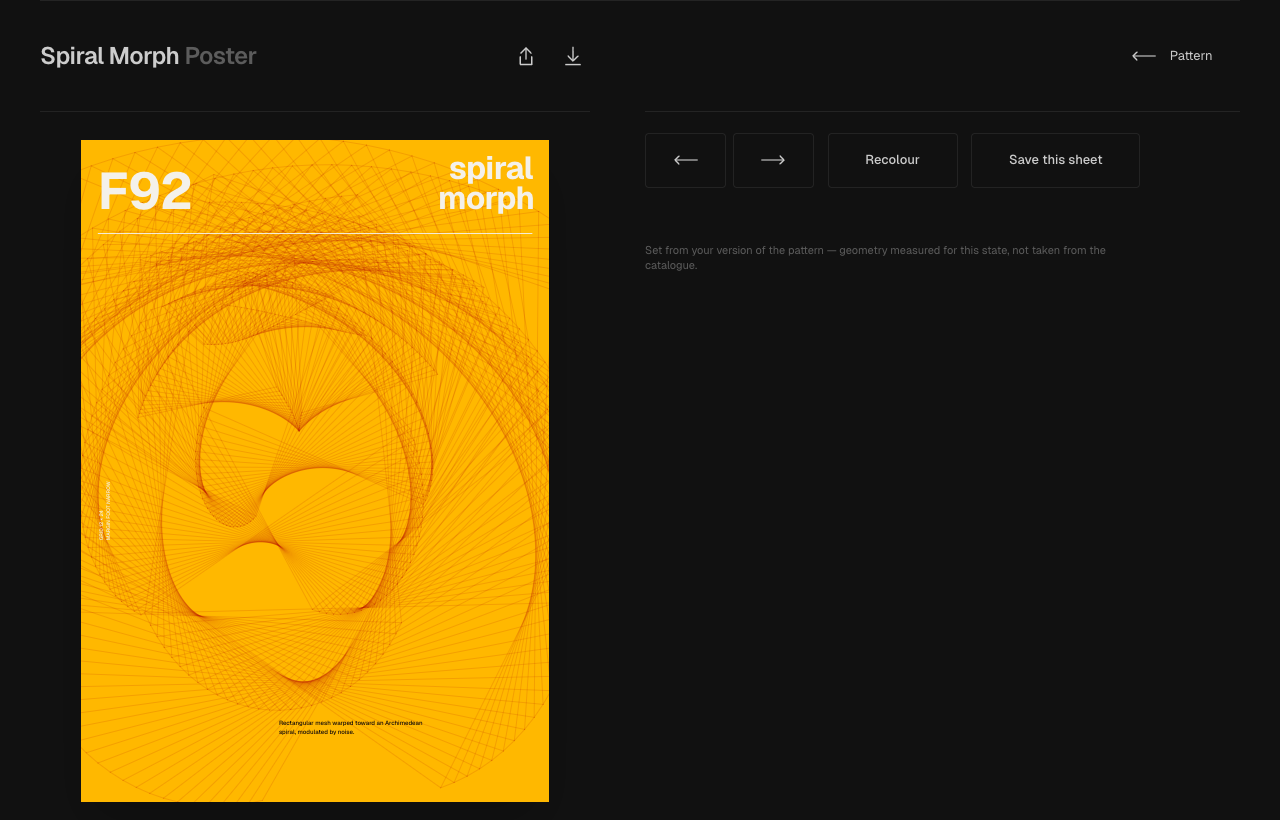
Book of Shapes poster maker with a Spiral Morph poster and the layout, Recolour, and Save this sheet controls
Your pattern, composed into a poster. Browser saving and downloading a file are separate actions.View full size (opens in a new tab)
MORE FINDS, LESS SEARCHING

Follow me for more tools.

Creative rabbit holes, useful little tools, and things worth making.
Find me at @toolandtea.

Sources & a quick license note

Book of Shapes is created by Nikolaj Sokolowski. This independent toolandtea guide uses screenshots and recordings captured from the live tool on September 28, 2026. Start with Spiral Morph or explore its poster maker.

The official license permits personal and commercial use of generated artwork, with no fee or required attribution. It excludes redistribution as pattern packs, clipart sets, template libraries, or generators. Joy Division, Joy Division Mesh, and Brockmann Beethoven Arcs are study-only exceptions: don’t publish or sell those recreations. Read the current license for the full terms.