Astra + Replit

Build a game with Astra + Replit.

Make a GTA-style game prototype with GPT-6 Astra in Replit. Just follow these four steps.

Try my Palm Harbor demo

How do you turn a drawing into a game with Replit?

Download the Palm Harbor game prompt, then take a photo of a simple map you’ve drawn. Start a web app in Replit, choose GPT-6 Astra if it’s available on your account, and attach the prompt file and map photo. Send the build prompt below, then test the game in Preview.

Get your file and photo.

Download my game prompt. Then draw a simple map with roads and buildings, and take a clear photo.

Download the .md file

Keep the file as it is. You’ll upload it with your photo in the next step.

Open Replit. Choose Astra.

Start a new web app in Replit. In the prompt box, open the Agent model settings and choose:

Max → Primary Max model → GPT-6 Astra

Attach both your drawing photo and the downloaded .md file to the chat.

Open Replit
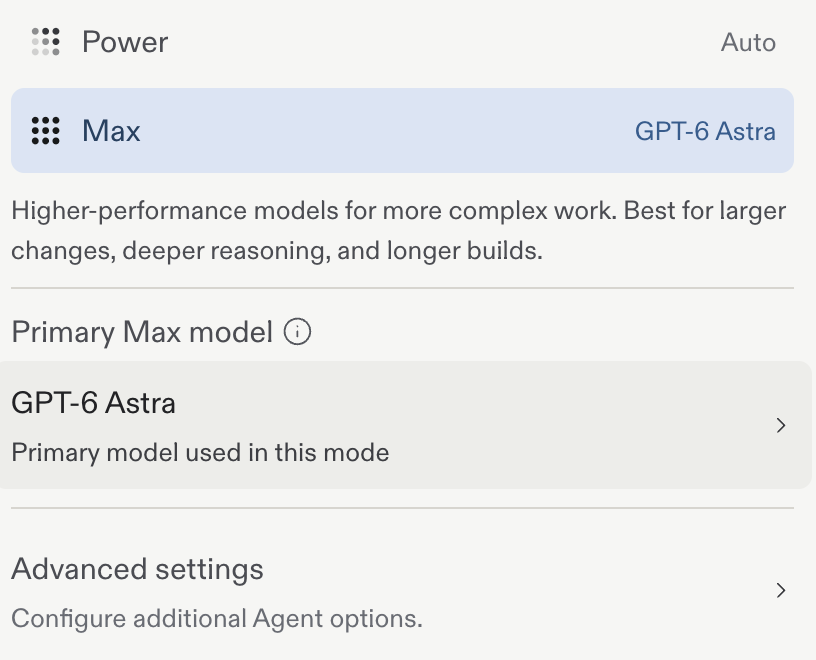
Replit settings: Max is selected and Primary Max model is set to GPT-6 Astra.
This is the setting to look for.
Can’t find Astra?

Check the models available on your Replit plan. Access can vary by account. Select GPT-6 Astra in the settings before you send your prompt.

Paste this. Let it build.

With both files attached, copy this prompt into Replit’s chat. Click the blue arrow to start building.

Your build prompt
Build a playable browser game using the attached palm_harbor_game_prompt.md as the game brief and my drawing photo as the map reference.

Read both attachments first. Follow the brief and use the roads, buildings, and landmarks in my drawing. Start with a small working version, add clear controls and a restart button, then run it in Preview and fix any errors.

When it’s ready, tell me how to play.
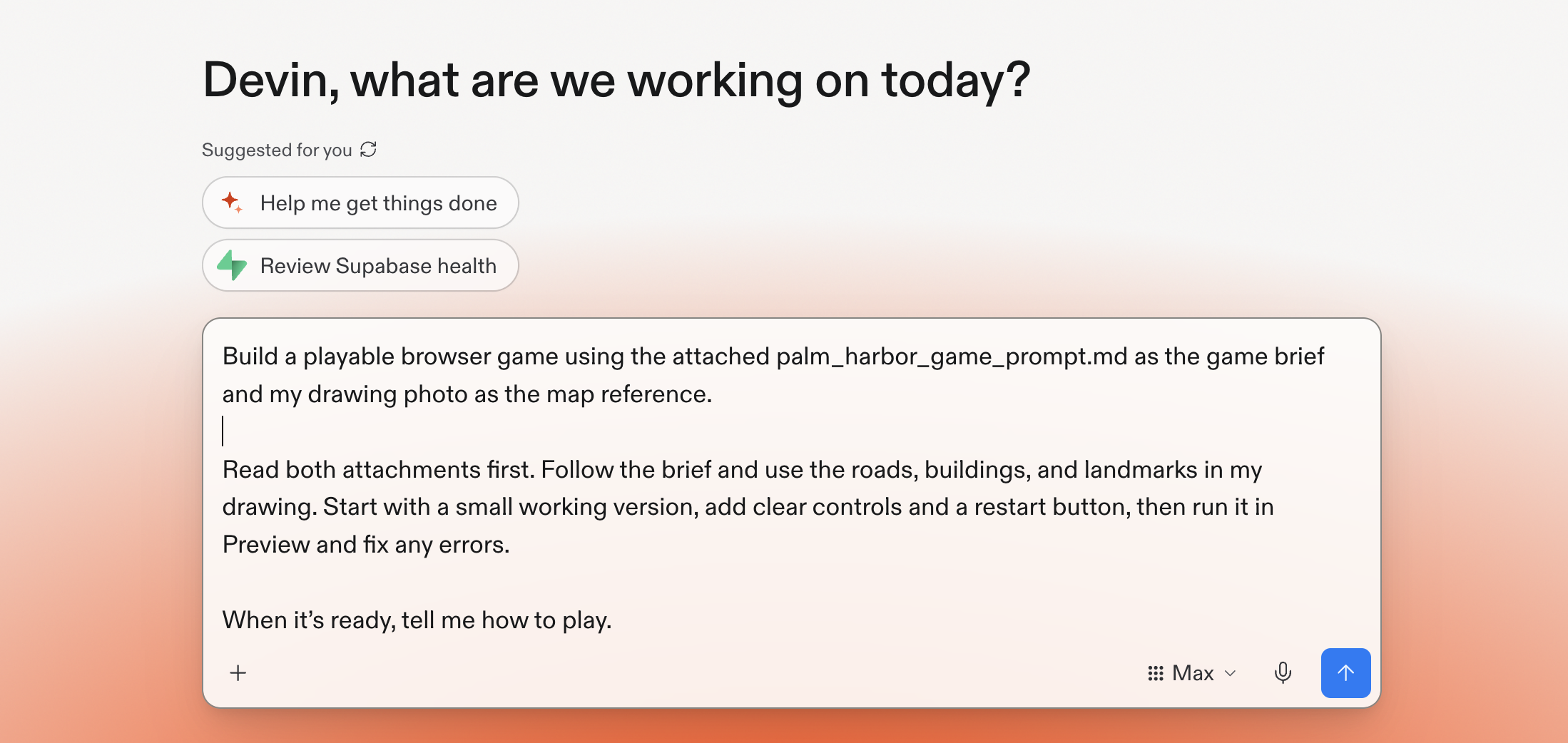
Ready to paste. No editing needed.
The game prompt pasted into Replit’s chat, with Max selected and a blue send arrow in the bottom right.
Your prompt in Replit. Click the image to see it full size.

Play your game.

Here’s my version, Palm Harbor. Try the demo to see what you can make from a drawing.

Play the demo

For your own game, open Preview in Replit and try the controls. Want a change? Just ask—for example, “Make the car easier to steer.”

Happy with it? Click Publish, check the settings and any costs, then share your game’s link.
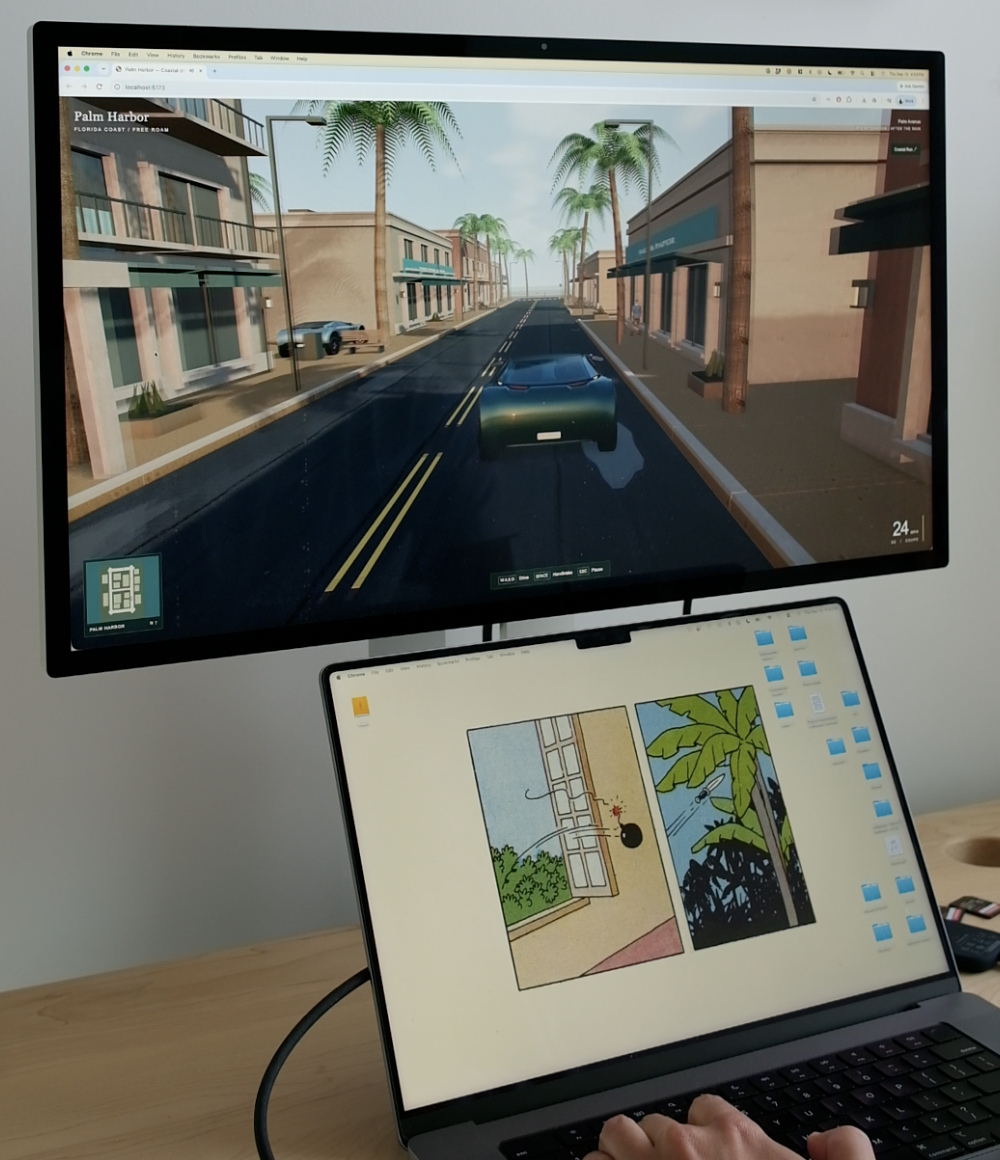
Palm Harbor running on a monitor above a laptop displaying the original drawing, showing a car on a palm-lined city street.
From a drawing to a playable world.

Common questions

What should I upload to Replit?

Upload both the palm_harbor_game_prompt.md file and a clear photo of your hand-drawn map. The file describes the game, and the photo gives Replit a reference for its roads, buildings, and landmarks.

Can I try the game before building my own?

Yes. The Palm Harbor demo linked in this guide is a playable example. Use it to see the type of game you can create before starting your own project.

What if GPT-6 Astra is missing from my Replit settings?

Check the models available on your account and plan. This walkthrough uses GPT-6 Astra, so its model-selection step depends on access to that model.

Sources & notes

Prompt file, screenshots, game photo, and Palm Harbor demo by toolandtea. Menus and model access may change.